Customer-Facing Display Setup and Customization

Customer Facing Display Setup And Customization
Customer facing displays are no longer "the nice to have". They are right in the way of every customer and influence the level of trust, clarity and urgency created in a transaction. When displayed and configured properly, and customized to the business, a top notch display can boost average order value, lower hesitation to pay, and minimize support interruptions. An improperly set up one can be costing you sales each and every day without you realizing it.
It is not often the hardware that is the difference. It is the attention to detail in the display and the exactness of the customization to present the correct information at the right time. Once you can see the benefits in black and white , more money moves, more time at the counter, less mess you are no longer talking about the screen as decoration and you are talking about the screen as a performance tool.
There is a reason why the “How Much” question is important.
The majority of retailers will set up an on shelf display and keep the default settings. A total message and a thank you message are appearing on the screen. The simple arrangement only covers the simplest questions. It does not let you know how many additional dollars a customer may spend when they can see recommended add ons, how much quicker checkout can be when loyalty points and discounts are present when they are shopping, or how many less payment mistakes there will be if the amount is clearly displayed before requiring to insert a card.
The ability to measure these effects is transforming the setup and customization process into a growth lever. Numbers tacklers find that any tweak in layout, timing, and messaging can yield disproportionate benefits.
Elements of Effective Setup.
The physical and technical setup are crucial to building a solid foundation.
The amount of information visible to customers depends on how high or low it is mounted, the viewing angle and the ambient lighting. No matter how well the software is done, it wont be a success if the display is positioned too high or the overhead lights wash out. Cable management and power reliability are also important factors lost time equals lost transactions equals lost team.
The software side of the equation should be stable and low latency as well, with the connection from the point of sale to the customer display. A second or two's delay can cause loss of control in a customers eyes when watching the total update in real time. Data handling in a display must be secure never show card information or personal data unless and until needed for the transaction.
When technical base is firm, real customization work starts.
Tailored that Wiggles the Numbers
There are three measurable outcomes to be considered for effective Customization: clarity, persuasion, and speed.
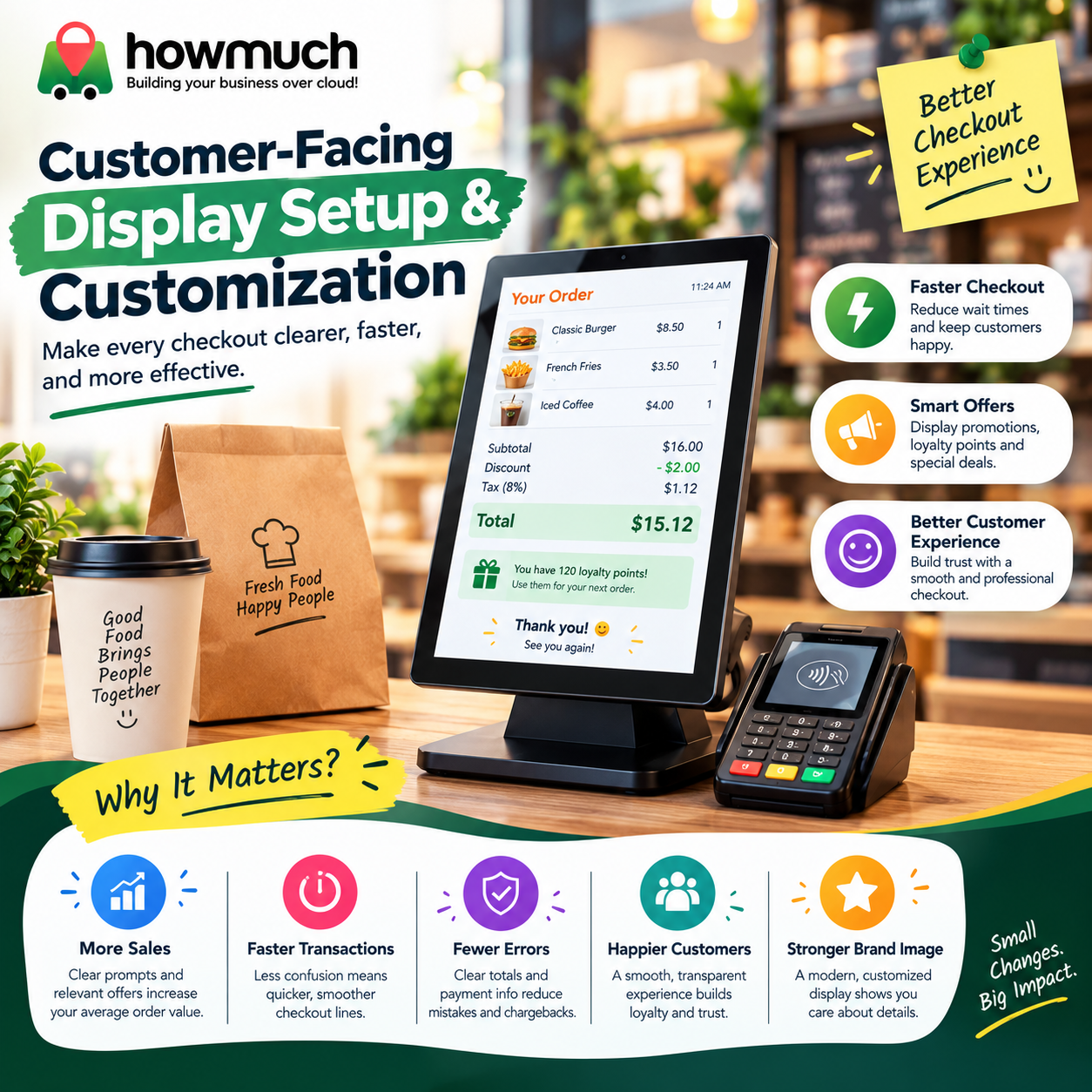
Clarity reduces friction. It is helpful to display the running total, discount being applied, tax, and total amount in large, high contrast text, which reduces the number of “what is this charge?” questions. Many retailers note that they see a significant decrease in hesitations when every line item and adjustment is shown on the display.
Persuasion drives basket size up. The intelligent suggestions for relevant add ons, bundles or loyalty rewards during the right time will increase the average order value. Relevance and timing are the keys. Generic prompts underperform. Specific recommendations based off the current items in the basket, the time of day or the customers previous behavior lead to a higher acceptance rate.
The line moves at speed. A display that lets you know what has been paid, indicates progress throughout the payment process and makes it very clear when the payment is finished minimizes downtime between customers. In high volume systems, every second saved in every transaction adds up to a huge throughput advantage over the course of a day.
Personalization should also take into consideration the brand identity. The use of a consistent color scheme, fonts, and tone help convey a sense of professionalism and intentionality. Meanwhile, the interface has to be simple and easy to navigate even by customers of any age and technical comfort.
Measuring What Works
The only way to understand if setup and customization are working or not is to measure specific metrics before and after changes.
Key indicators include:
- Change in average order value
- % of transactions with add-on suggestions
- Average time from “Total” to “Payment completed”
- How often do employees of the cashiers get confused when handling displays?
- Comments from customers based on checkout clarity.
If there are changes to the terminal layout or suggestion strategy, then comparing the different versions by A/B testing on a subset of terminals will quickly show which versions bring the highest lifts. Results with minimal sample sizes can be obtained within a couple of weeks and are obvious in a direction.
There are various common setup and customization problems that can be encountered.
Multiple common pitfalls subtly slow applications down.
Too many messages or too many graphics on the screen confuse rather than inform. You dont need a carousel of offers, just the bottom line and what you are going to do next.
Another common issue is the lack of consideration for accessibility. Reduced visibility from small text, low contrast or displays that cant be seen in store lighting will exclude a segment of customers and create needless hassles.
Not doing so regularly is just as expensive. A miscommunication of the promotions, new loyalty rules, or even a new tax rate that shows old information on the customer display leads to confusion and loss of trust.
Finally, not treating locales differently is failing to grasp the opportunity. A retail display designed for a high volume retail store might not be as effective in a low volume retail store in a more rural area where shoppers have more time and are more receptive to alternate messages.
Secure the Net Conference: Build a Display Strategy That Scales
The best results are possible when a customer display is considered a living system rather than a hit and run project. Use clean technical setup. Add branding consistent customizations on top of existing designs. Track relevant metrics. Then iterate.
For any one counter or a network of counters, the rule applies: All should serve a purpose of clarity, persuasion or speed. A piece of hardware becomes a reliable commercial asset when you can go to the specifics, specifics like how much more revenue it can generate or how much less friction, how much faster throughput.
Frequently Asked Questions
What impact can a carefully designed display have on the customer, beyond just making a statement?
Often, retailers who track results will experience a measurable increase in AOV, shorter checkout times and fewer payment questions. Depending on the initial state, the gains will vary, but with high activity, small gains aggregate quickly.
Do you really need to hire professionals to mount and light?
Yes. Limited visibility of content due to poor placement or lighting, diminishes customers awareness of the content. A display that is not readable easily doesnot do much to increase clarity and add on sales.
Should all stores have the same display customisation?
Not always. Brand consistency is important, but some local differences like the demographics of your customers, average basket size, and traffic spikes can allow for customization of messaging and suggestion strategies to improve results.
How frequently does the content on the customer display need to be changed?
Promotions, loyalty rules, tax rates or key product offers are some key factors that should lead to content changes. Information that is outdated can cause confusion and lessen trust.
Is complex software needed for smaller businesses?
Yes. Simple displays attached to a standard check out system can display the total, add on prompts, payment confirmation, even to the most basic level. While advanced personalization tools have the power to make a difference, there is also value to be gained from solid fundamentals.
In most retail experiences, customer facing displays are at the last point of contact. How much value that moment has depends on set up and customization. Many businesses are already set up with the hardware. Finally, it is possible to set up and adjust it such that the numbers are in the correct direction.
0 Comments