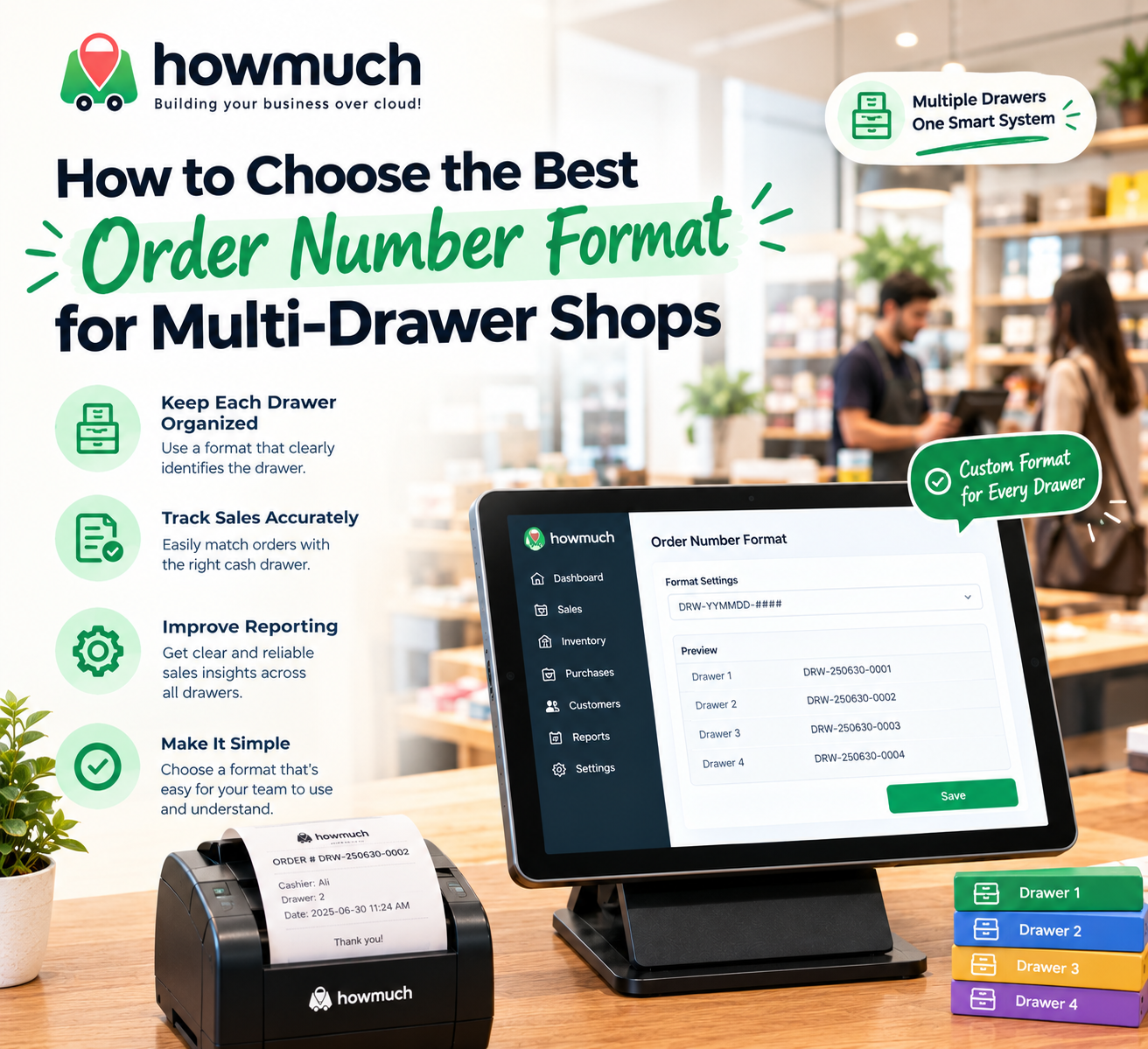
How to Choose the Best Order Number Format for Multi-Drawer Shops

Howmuch POS offers three order number formats Default (protected), Format 1 (time-series), and Format 2 (day-series) each designed to work with multiple cash drawers. The right choice depends on whether your staff need daily sequences, time-based tracking, or harder to guess identifiers. Drawer names and disciplined shift procedures matter just as much as the format itself.
If your shop runs more than one cash drawer, an order number stops being a small receipt detail and becomes a tool your whole team relies on. Cashiers use it to call out orders, customers reference it when checking on a purchase, and managers use it to trace sales back to the right drawer and shift. Choosing the right format isn't about picking the shortest number it's about picking the one that helps your staff answer three questions fast: which order is this, which drawer created it, and can we find it again later?
This guide walks through the order number options available in Howmuch POS, explains how drawer identity gets built into each one, and helps you decide which format fits your store's daily rhythm.
Why does order numbering matter more with multiple cash drawers?
A multi-drawer shop might run separate drawers for a front counter and pickup counter, multiple checkout lanes, several service stations, or individual cashier shifts. Without a clear system, two orders created at different counters can look nearly identical to staff glancing at a screen.
Drawer-aware order numbers solve this by giving staff an immediate visual clue about where an order originated. This doesn't replace your underlying drawer records those remain the source of truth but it does speed up the first step of any lookup, whether that's a customer asking about their order or a manager reconciling a shift.
How does Howmuch POS organize multi-drawer work?
Howmuch POS tracks every available drawer for a store, and each drawer has both a title and an identifier. When a shift is open, the drawer tied to that shift becomes the active drawer for sales taking priority even over a drawer a cashier has manually selected. This keeps sales, payments, expenses, and drawer transactions aligned with whichever drawer is actually being reconciled at the end of the day.
The drawer title also carries through to receipts and payment workflows, so staff can reference drawer names in day to day conversations, while the drawer identifier feeds into the order number itself, depending on your store's selected format.
What order number formats does Howmuch POS offer?
The Howmuch POS settings screen shows three choices under Order Number Format:
- Default — protected and mistake-resistant, built to support multiple drawers
- Format 1 — time-stamped, built to support multiple drawers
- Format 2 — human-readable and sequential, built to support multiple drawers
These are descriptions of supported behaviors, not open fields for building a custom pattern. There's no option in the current implementation to design your own prefix, set a digit count, or write a template.
How does the Default (protected) format work?
Outside of the explicit time-based and day-series options, Howmuch generates protected digits using the cash drawer title as part of the process. The result is difficult to guess or accidentally duplicate, while still carrying the store-and-drawer prefix. Choose this format when unpredictability matters more than a visible sequence staff should treat the trailing digits as an identifier, not a running count.
How does the time-series format work?
Format 1 builds digits from the current date and time, padded out to reach the configured length, with the store prefix and drawer identifier still included. This is useful when staff frequently need to know which of several similar-looking orders came first, since the number itself reflects creation time.
How does the day-series format work?
Format 2 keeps a daily counter per store, combined with date and time information, and resets each new day. In this format, the store prefix drops its final character before adding the drawer identifier so a store called Downtown Cafe using drawer 2 might produce a number beginning with D2, followed by the day's series digits. This format tends to be the easiest for staff to talk through with customers, since it reflects a straightforward daily progression.
How does the store and drawer prefix actually work?
Howmuch builds the prefix from the first and last characters of the store name after stripping spaces and unsupported punctuation then appends the drawer identifier when one is available. For Downtown Cafe, that might produce a prefix like DE1 for drawer one or DE2 for drawer two. The full order number still depends on your store's selected format and the generated digits that follow.
Can I create a custom order number format?
No. This is an important limitation to understand before you configure your store. The settings screen shows the labels Default, Format 1, and Format 2, but the actual order-generation logic responds to the format value delivered through your store's configuration not to a locally editable template. Selecting a label doesn't grant arbitrary control over your server-side format, and there's no way to set a different pattern per cashier or invent a unique sequence for each drawer. Confirm the actual sample numbers your store produces before rolling out a new process.
How should I choose a format for two, three, or more drawers?
Two drawers: A shop running a Front and a Pickup drawer benefits from clear naming and a drawer-aware format, so cashiers can recognize which counter an order belongs to before opening the details.
Three drawers: A restaurant with Counter 1, Counter 2, and Drive-through can use a day series format for an easy daily progression, or a protected/default format when predictable sequences aren't desirable.
Four or more drawers: As drawer count grows, distinct drawer titles and disciplined shift procedures matter more than the format itself. Staff should always reference the complete order number rather than the last few digits.
What questions should guide your decision?
- Do cashiers need a visible daily sequence? A day-series format is easier to discuss aloud.
- Should the number reflect timing? A time series format makes creation time easier to estimate.
- Is guess-resistance a priority? The protected/default format is built for that.
- How many drawers are active at once? More drawers make a visible drawer indicator more valuable.
- Will customers hear the number spoken aloud? Pick a format that's easy to say and repeat.
- Do shifts control drawer assignment? Make sure staff understand that an active shift's drawer overrides a manually selected one.
Keep the process simple for staff and customers
The policy around your order numbers matters as much as the format itself. Train cashiers to read the full number, mention the drawer or station when it helps, and pair the number with a customer name when there's any ambiguity. Use drawer titles that match how your team already talks "Front," "Pickup," and "Drive-through" work better under pressure than generic labels.
Avoid telling customers a number is a simple count unless you're actually using the day-series format. Protected and time-based numbers are identifiers first, not a visible tally of daily orders.
Choose the format that matches how your team works
For a shop running several drawers, the best format is the one your staff can use without hesitation. Choose the day-series behavior when a daily sequence is the easiest reference point, the time-series behavior when creation time genuinely helps staff sort through similar orders, and the protected/default behavior when predictability is a risk you'd rather avoid.
Whichever you choose, keep drawer names distinct, make sure shifts open against the correct drawer, and train your team to rely on the complete order number rather than a shortcut. Howmuch POS already supplies each order with store and active-drawer context a well-matched format paired with consistent drawer habits does the rest, without requiring a custom numbering system you'd have to build and maintain yourself.
Frequently asked questions
Can I create a custom order number template in Howmuch POS?
No. Howmuch POS does not offer a free-form template builder. Businesses choose between the three configured behaviors Default, Format 1, and Format 2 and the exact format comes from the store's server-side configuration.
Which format is best for a shop with many drawers?
There's no single best option. Day-series numbering works well when staff want an easy daily sequence to reference, while the protected/default format is better suited to shops that prioritize unpredictability over a visible count.
Does the order number replace the need for drawer reports?
No. The order number is a fast reference point for staff and customers, but drawer records, order history, and shift reports remain the source of truth for reconciliation.
Will customers see the drawer identifier in their order number?
Yes, when the selected format supports it. The store-and-drawer prefix is built from the store name and drawer identifier, so it appears as part of the visible order number.
Does changing the label in settings change how numbers are generated?
Not on its own. The label reflects the store's underlying configuration. Changing it locally doesn't grant control over the server-side format tied to your store.
0 Comments