
How to Download and Back Up Your Database Safely

How to Download and Back Up Your Database Safely
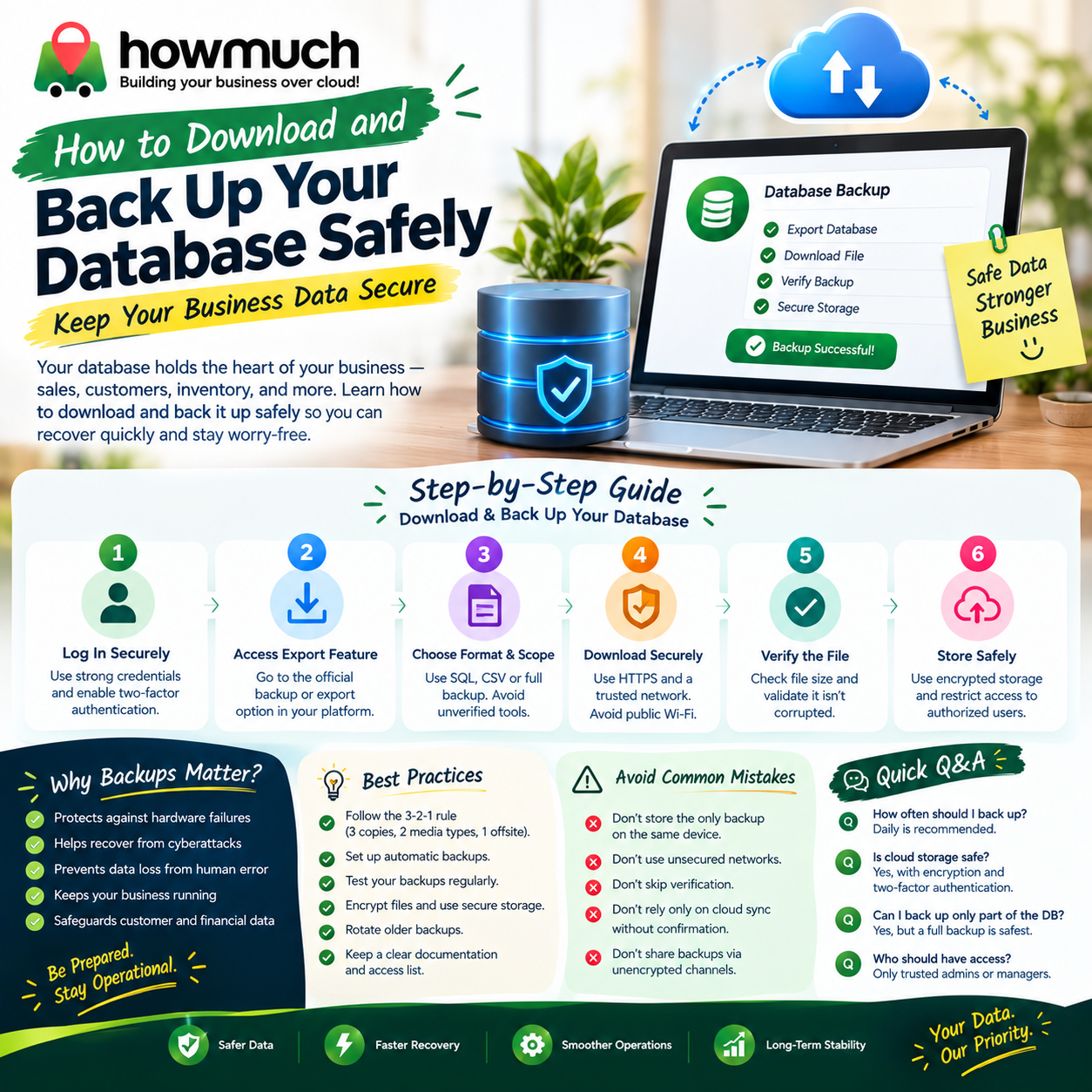
Data protection is essential for every business. Whether you operate a retail store, restaurant, or service business, your database contains critical information sales records, customer details, inventory levels, and financial history. Losing this data due to hardware failure, cyberattacks, accidental deletion, or system crashes can lead to significant downtime, lost revenue, and operational disruption. Knowing how to download and back up your database safely ensures you can recover quickly and keep your business running smoothly.
A proper backup goes far beyond simply copying files. It requires secure methods, consistent routines, verified copies, and careful handling of sensitive information. Following proven steps reduces risk and gives you lasting peace of mind.
Why Database Backups Are Crucial
Any business that relies on digital systems faces the constant threat of data loss. Hard drives fail. Software updates can go wrong. Ransomware and other cyber threats continue to increase. Human error remains one of the most common causes of data loss. Without reliable backups, recovering from these events becomes difficult or even impossible.
Regular and secure backups protect against:
- Hardware or server failures
- Accidental file deletion or corruption
- Cyberattacks and ransomware
- Software bugs or failed updates
- Natural disasters or physical damage to equipment
A strong backup strategy also supports business continuity. When you can restore data quickly, downtime stays minimal, customer service continues uninterrupted, and financial records remain intact. This protection is especially important for businesses using POS or management platforms, where daily transactions continuously feed into the database.
Preparing Before You Download or Back Up
Before starting any backup, complete a few important preparatory steps. Confirm that you have the necessary permissions and access rights. Whenever possible, perform the process during a low traffic period so it does not interfere with live operations. Verify that the destination whether an external drive, cloud storage, or secure server has enough available space.
Always use the official tools or export features provided by your software platform. Avoid third party tools unless they have been thoroughly vetted and proven reliable. Ensure your antivirus and security software are fully up to date. Finally, establish a clear naming convention and organized storage location so backups remain easy to identify and retrieve later.
Step-by-Step Guide to Downloading Your Database Safely
1. Log in with secure credentials
Use a strong, unique password and enable two factor authentication whenever it is available. Never use public computers or share login details for this process.
2. Access the official export or backup feature
Most modern platforms include a built-in backup or export option in the admin or settings area. Choose the full database export rather than partial reports whenever possible.
3. Select the correct format and scope
Common safe formats include SQL, CSV (for specific tables), or proprietary compressed backups. Export the complete database unless you specifically need only certain tables.
4. Download over a secure connection
Always use HTTPS and a trusted network. Avoid public Wi-Fi. When downloading a large file, ensure the connection remains stable to prevent incomplete transfers.
5. Verify the downloaded file
Check the file size and, if possible, open or validate it to confirm it is not corrupted. Some systems provide checksums or verification tools use them.
6. Store the backup securely
Move the file to encrypted external storage or a reputable cloud service with strong access controls. Never leave the backup on the same device or system as the live database.
Best Practices for Ongoing Database Backups
Consistency matters more than occasional large backups. Follow the 3-2-1 rule: keep at least three copies of your data, store them on two different types of media, and keep one copy offsite or in the cloud.
Schedule automatic backups whenever your platform allows it. Daily backups work best for active businesses; weekly backups may be sufficient for lower volume operations. Test your backups regularly by performing a restoration in a safe environment. An untested backup is not a reliable backup.
Encrypt sensitive backups both in transit and at rest. Restrict access to backup files to authorized personnel only. Document your backup schedule, storage locations, and restoration steps so the process remains clear even if key staff members are unavailable.
Rotate older backups according to a clear retention policy. Keep recent daily copies for quick recovery and maintain longer-term archives for compliance or historical needs.
Common Mistakes to Avoid
Many data-loss incidents happen because of preventable errors. Never store the only backup on the same computer or server as the live database. Avoid downloading backups over unsecured networks. Do not skip verification after the download. Resist relying solely on automatic cloud syncs without confirming the files are complete and usable. Finally, never share backup files through unencrypted email or messaging apps.
Question & Answer Section
Q: How often should I back up my database?
A: Daily backups are recommended for most active businesses. High volume operations may benefit from multiple backups per day.
Q: Is cloud storage safe for database backups?
A: Yes, when you use reputable providers that offer encryption, strong access controls, and two-factor authentication. Always combine cloud storage with at least one additional local or offline copy.
Q: What should I do if a backup file appears corrupted?
A: Do not attempt to use it. Create a fresh backup immediately and investigate the cause unstable connection, storage issues, or software problems.
Q: Can I back up only part of the database?
A: Selective exports are useful for specific needs, but a full database backup provides the most complete protection for recovery.
Q: Who should have access to database backups?
A: Limit access to trusted administrators or managers only. Use role based permissions and review access logs whenever they are available.
Protect Your Business Data with Confidence
Safely downloading and backing up your database is one of the highest-value habits any business can build. By preparing carefully, using official tools, verifying every file, following the 3-2-1 rule, and testing restorations, you create a reliable safety net. Consistent execution of these practices turns data protection from a source of worry into a routine strength that keeps your operations resilient and ready for whatever comes next.
0 Comments