Howmuch POS for Hair Salons: How the Services Feature Simplifies Service Management with Howmuch POS

A busy salon handles more than one kind of sale. A customer might come in for a haircut, add a wash and blow dry, and pick up shampoo before leaving. When prices are kept in memory, on paper, or in separate lists, it can be harder to charge consistently, update rates, and keep each sale organized.
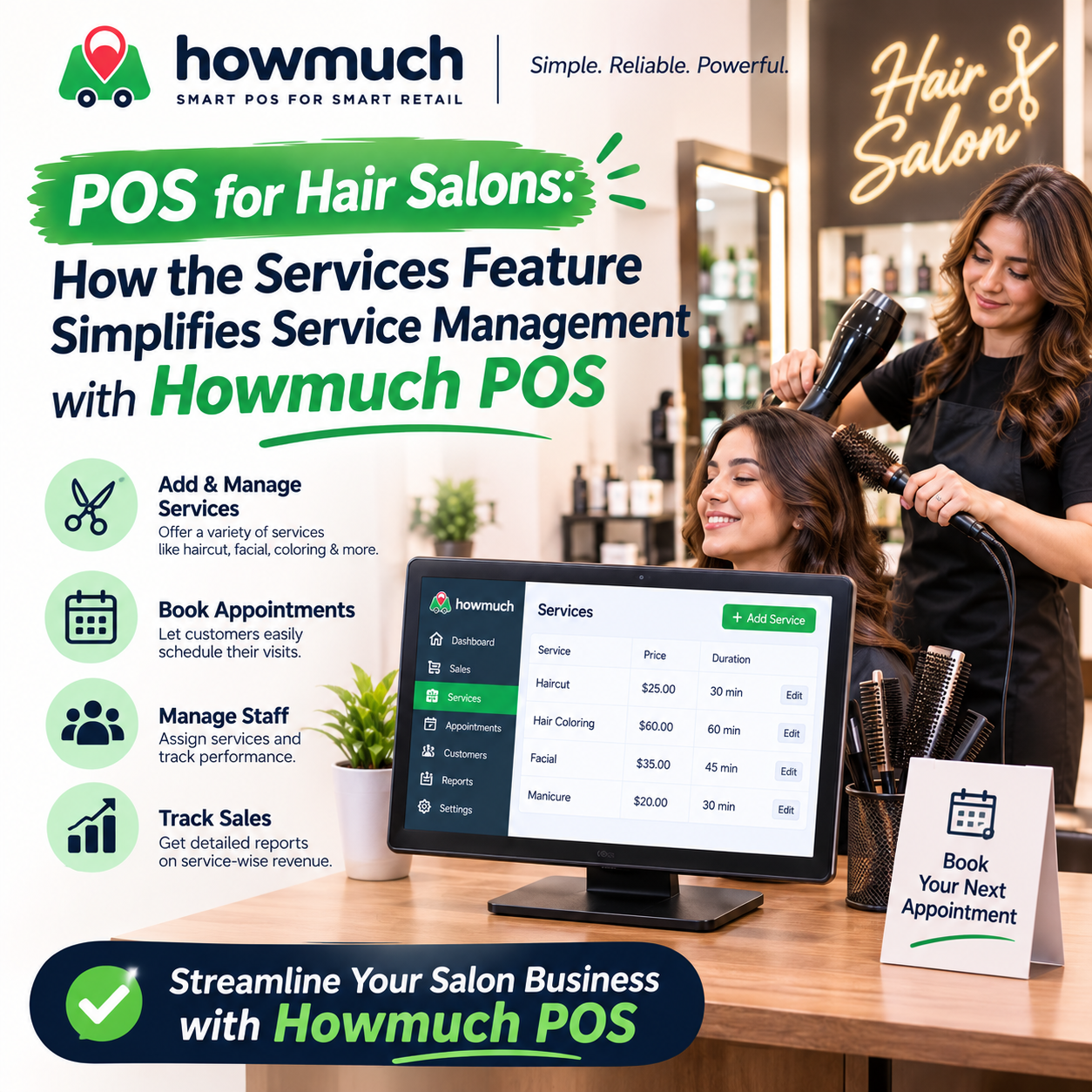
A POS for hair salons can make those everyday transactions simpler. Howmuch POS’s Services feature lets a salon create service items in its catalog, set their prices, and select them at checkout. In the verified desktop local POS workflow, services are catalog items that can be billed alongside physical products. They are not inventory-tracked products, so they do not reduce stock like a bottle of conditioner does.
Why hair salons need a POS system
Salons and barbershops often offer a long menu of services, each with its own price. A basic haircut may cost less than a restyle; coloring may have several price points; treatments, beard trims, and blow dries add more choices. Remembering every rate or calculating a mixed bill by hand can lead to mistakes, especially during a rush.
A POS helps bring those charges together. Salon staff can select the services performed, see their prices in the transaction, and add retail items to the same sale. It also gives the business a more organized record of what was sold.
That distinction matters in a salon. A haircut is a service, while shampoo, conditioner, and hair oil are physical products. The service does not need a stock count; the retail items do.
What is the Services feature in Howmuch POS?
Howmuch POS treats a service as a different kind of catalog item from an inventory-based good. A service has a name and a selling price, but it is not managed as stock on a shelf. In the service form, the catalog also supports a billing unit “job” or “session” and an optional duration. Services are set not to track inventory.
For example, a salon could create “Haircut” with a price of $80 and a billing unit of “job.” It could add “Hair Spa” at $150, with a duration entered if useful for the business. The duration is catalog information; it should not be mistaken for an appointment or staff-scheduling feature.
The service form shares general catalog fields, including category selection, with product items. The verified implementation does not show a dedicated salon service-category system. Salon owners can use clear service names and general catalog categories where appropriate to make offerings easier to recognize.
How to manage hair salon services
Start by adding each offering as a service rather than as a stock-tracked product. Give it a distinct name that staff can identify quickly, such as “Hair Coloring Short Hair” or “Beard Trim.” Enter the price and choose the applicable billing unit. If the salon uses the duration field, enter the service’s expected duration.
The catalog can include common offerings such as haircuts and trims, hair styling and blow-dry, hair washing, hair coloring, hair treatments and hair spa services, and beard trimming.
Each service is priced as its own catalog entry. If rates change, update the service’s price in the catalog so staff can use the current rate on future bills. Keeping variations clear in the name can help avoid selecting the wrong service when prices differ. for example, “Haircut – Child” and “Haircut – Adult.”
At checkout, staff can use the Services filter in the product search area to narrow the list to service items. This can make selection easier when the catalog also contains retail products. There is no need to enter a service as though it were a bottle or pack that needs a stock count.
Billing customers for salon services
When a customer is ready to pay, the cashier selects the services performed and adds them to the transaction. For example, a customer receiving a haircut and styling can have both services entered as separate lines. The POS brings their listed charges into the bill, reducing the need to look up rates or add them manually.
In the verified local desktop workflow, the POS can include multiple service lines in one transaction. The cashier can also add physical products to that sale. The final bill can therefore reflect the customer’s complete visit rather than requiring separate service and retail transactions.
The service lines are saved as part of the order, helping keep the charges associated with the sale. Updating a catalog price later does not rewrite the price recorded on an earlier order.
Services and products in the same business
A salon might provide a haircut and hair coloring while also selling shampoo, conditioner, or hair oil. In Howmuch POS, those items follow different catalog workflows:
Haircut is a service with a price, not a shelf stock count. Hair coloring is a service with its own price. Shampoo is a physical product that can be managed as inventory. Conditioner and hair oil are physical products that can also be added to the bill.
This helps keep service charges separate from stock movements while allowing both kinds of sale in the POS workflow. Staff can select services and products for the same customer transaction, instead of calculating service fees on one side and retail items on another.
Benefits for salon owners
A Services catalog can help a salon keep its menu and prices organized. Staff can select listed services at checkout, which reduces manual price calculations and makes it easier to apply current rates. Service lines are recorded with transactions, while stock-tracked products continue through the inventory workflow.
Howmuch POS also has a service productivity report in the verified local implementation. This provides a service-related business view; it should not be confused with a claim that every standard report includes service-specific breakdowns. Overall, the catalog and checkout workflow make service billing more structured without treating each service like a physical item.
A practical hair salon example
Imagine a salon offering:
Service |
Price |
|---|---|
Haircut |
USD 80 |
Hair Styling |
USD 1,00 |
Hair Treatment |
USD 150 |
The owner adds each as a service catalog item, enters its price, and selects a billing unit. When a customer gets a haircut and styling, the cashier finds and selects both services. The service charges total $180. If the customer also buys shampoo for $70, the cashier adds that product to the same transaction, bringing the bill to $250 before any applicable taxes or adjustments.
This is a simple menu, but the same approach can help organize a larger list. Each service has a clear name and price, and staff can select the items the customer actually received.
Who can benefit from the Services feature?
The service catalog can be useful for hair salons, barbershops, beauty parlours, and grooming studios that charge for individual services. It may also suit other service-based businesses that need to list and bill non-inventory offerings, provided their workflow fits the available catalog fields and checkout process.
Howmuch POS is a retail and business POS, not necessarily a dedicated salon appointment-management system. The verified service catalog and billing workflow help organize service charges; they do not, by themselves, establish that appointment booking, stylist scheduling, customer service history, or automatic commissions are included.
A simpler way to manage salon services
For salons that need a practical way to list services, maintain prices, and include service charges on customer bills, the Howmuch POS Services feature offers a straightforward catalog-and-checkout workflow. Services can be billed alongside retail products, while inventory remains relevant to the physical goods a salon sells. Used this way, a POS for hair salons can make everyday billing more consistent and keep sales transactions better organized.
0 Comments