Howmuch POS Standalone vs. Vyapar: Why Offline First Retailers May Prefer Howmuch

A retailer choosing POS software is not just choosing a way to print bills. They are choosing how to manage products, stock, purchases, customers and daily sales and how those records will work when the internet is unreliable or the business expands.
For shops that want to begin with a genuinely local setup, Howmuch POS Standalone can be a better fit than Vyapar. Its standalone mode is built around local store operations, rather than relying on a cloud-connected account as the basis for the workflow. That distinction can matter to a small grocery shop, clothing store or electronics retailer that wants its day-to-day system to remain under local control.
That does not make Howmuch the right choice for every retailer. Vyapar advertises offline billing along with cloud sync and multi-device features. Retailers who need those capabilities right away should compare the exact version, plan and setup they will use. The key is to choose based on how your store works today and what you can verify about its future needs.
Standalone POS and cloud POS: what’s the difference?
Standalone POS software stores and manages store operations locally on the device or computer running the system. Once set up, supported tasks such as billing and maintaining local business records can continue without an active internet connection.
Cloud-based POS software connects store devices to an online service. Depending on the product, users may be able to access shared information from different devices or locations, and data may synchronize between a store and the cloud.
Offline billing alone does not make a POS standalone. A cloud-connected product may save some transactions on the device when the internet is down and synchronize them later. A standalone product, by contrast, operates from local records; those records do not become cloud data simply because the connection returns.
Why Howmuch can be a stronger standalone choice
Howmuch POS Standalone is designed for local store operations. Retailers can manage products and stock, record sales and purchases, and maintain customer and supplier information in their local setup. This can suit a store that needs a practical point-of-sale system without making continuous cloud connectivity a requirement for everyday work.
For example, a grocery owner can use the local system to bill customers and manage store inventory during a connection outage. A clothing shop can maintain its product records and sales at its counter. An electronics retailer can keep daily store work moving without depending on the internet being available at every moment.
Howmuch also provides encrypted local archives for backup and restoration. Scheduled backup options can be configured, including local storage and an optional remote backup destination. That gives owners a way to plan for data recovery; it should not be confused with live cloud synchronization.
Vyapar, by comparison, advertises offline billing together with cloud sync. Its retail billing and POS pages describe retail billing, inventory and multiple-device or billing capabilities. Those can be useful features, but they are not the same as choosing a standalone architecture. Retailers should check how offline work, synchronization and backup function in the particular Vyapar version and plan they are considering.
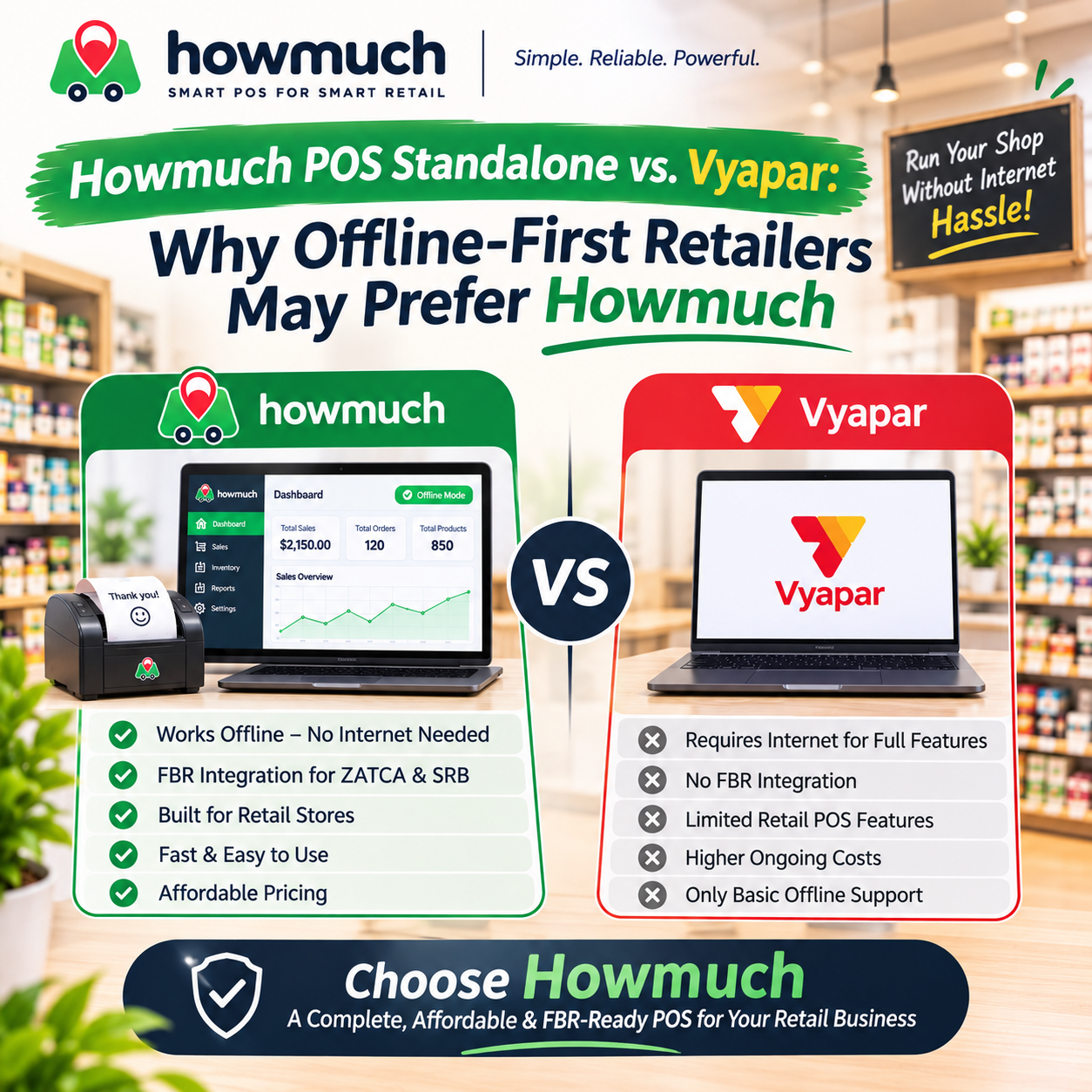
Howmuch POS vs. Vyapar: a practical comparison
The comparison below focuses on the product information reviewed for this article. Feature access may vary by software version, plan, platform or configuration.
Retail need |
Howmuch POS Standalone |
Vyapar |
|---|---|---|
Local standalone operation |
Offers a dedicated standalone mode for operating a local store setup. |
Advertises offline billing, but also promotes cloud sync. Confirm the exact mode and setup available for your device and plan. |
Billing during internet outages |
Supported local operations can continue in standalone mode after setup. |
Vyapar advertises offline billing and automatic sync when connected; confirm how this works in the version you use. |
Products and inventory |
Supports local product and stock management as part of the standalone retail workflow. |
Advertises inventory tracking and stock alerts. |
Purchases and suppliers |
The standalone workflow includes local purchase and supplier records. |
Vyapar describes purchase, supplier and vendor management on its retail materials. |
Customers and sales records |
Customer information and sales can be maintained locally. |
Vyapar advertises customer, payment and credit tracking features. |
Backup |
Offers encrypted local archives and configurable scheduled backup options, including optional remote backup. |
Vyapar promotes Google Drive cloud backup; check current requirements and plan details. |
Multiple devices and locations |
A local standalone setup should not be assumed to provide live, centrally shared records across devices or branches. |
Vyapar advertises multi-device use and multiple billing windows; verify how these work for your particular setup. |
Standalone-to-cloud move |
A migration workflow includes data preview and transfer steps, but the reviewed implementation does not yet provide a completed cloud cutover. |
Vyapar advertises cloud sync, but that is not proof that Howmuch standalone records can be imported into Vyapar. Ask both vendors about your intended workflow. |
Tax and e-invoicing |
Howmuch includes integrations for FBR, PRA, AJK CBR, ZATCA and ETA; availability and setup depend on the store and authority requirements. |
Vyapar promotes GST billing and compliance for Indian businesses. Confirm support for your specific tax authority and plan with the provider. |
Vyapar’s official pages describe both offline billing and cloud features. However, not every plan, platform or version necessarily includes the same capabilities. The practical comparison is not “offline versus no offline.” It is whether the product’s architecture, backup process and synchronization behavior match the way your shop operates.
Tax Compliance for Retailers in Different Markets
Retailers may also need POS software that supports the tax authority requirements in their region. Howmuch includes integrations for FBR in Pakistan, PRA in Punjab, AJK CBR in Azad Jammu and Kashmir, ZATCA in Saudi Arabia and ETA in Egypt. For retailers operating in these markets, this range of authority-specific integrations can be an important advantage: the POS can support relevant tax invoice and reporting workflows alongside everyday retail operations.
The exact setup depends on the store’s location, the applicable authority rules, and the credentials or devices required for that integration. Retailers should confirm which tax features are enabled for their store and whether their chosen workflow needs an internet connection. Standalone billing does not necessarily mean every tax-authority submission or validation can be completed offline.
Vyapar’s published product materials promote GST billing and compliance for Indian businesses. Retailers comparing the two should confirm directly with Vyapar whether their specific plan supports the relevant authority. for example, FBR, PRA or AJK CBR rather than assuming it does or does not.
When Howmuch Standalone may be better for your shop
Howmuch POS Standalone may be the better fit when your business operates from one location, you have one main counter and a small team, you want store records managed locally, your internet connection is unreliable or you do not want daily operations to depend on a live cloud connection, you need more than billing alone such as local product, stock, purchase, supplier and customer records, and you want to create encrypted local backups and plan how to restore them if needed.
A neighbourhood grocery store with one checkout may value a simple setup that keeps local work going during an outage. A small clothing shop might prefer to manage its store records at the counter without first setting up a multi-device cloud workflow. In these cases, Howmuch’s standalone approach can be a practical advantage.
When cloud POS matters more
The balance can change as the business grows. A retailer may need cloud-connected operations when opening another branch, adding more counters, hiring staff across locations, or asking managers to check sales remotely. Centralized inventory, consolidated reporting and online-to-store workflows may also become important.
Vyapar’s published materials promote cloud sync and multi-device use, so retailers who need those features immediately should evaluate that setup directly. With Howmuch, do not assume that the local standalone records automatically become available across stores or online when the internet returns. Confirm the connected features and migration status with Howmuch before you base a business expansion on them.
Moving from Howmuch Standalone toward cloud operations
This is an important point for retailers considering Howmuch as a long-term option: local backup and cloud migration are different things.
Howmuch’s standalone client includes a staged migration workflow. It can prepare an inventory of local data, require a saved and verified encrypted backup, and transfer supported records to a cloud destination. The previewed data can include store details, products and stock, customers, suppliers, and sales and financial history.
However, in the implementation reviewed for this article, the final cloud cutover is not available. The workflow warns that sales may pause after the final snapshot is frozen, and that cloud operation should not begin until the backend confirms reconciliation. It also identifies records that may not be included or may require attention, such as purchase history, local operator accounts and some loyalty, service and transfer records.
That means Howmuch’s migration process is a planned path not a promise of one-click, automatic or seamless conversion. Before starting a standalone store, ask Howmuch whether the migration and cutover are currently supported for your version, which data will transfer, what preparation is required and how the store can resume sales.
Vyapar’s cloud sync, meanwhile, is a feature of its own connected workflow. It should not be interpreted as a way to transfer Howmuch standalone data. If you are comparing platforms, ask each provider specifically about importing your existing product, customer, purchase and sales records.
A retailer’s growth journey
Imagine a retailer who opens a single grocery shop with one counter. At first, a local setup may be enough to record sales, maintain inventory and manage purchases. The owner does not yet need remote access or branch-level reporting, and local operation is useful when internet service is inconsistent.
Later, the shop hires more employees, adds another counter and opens a second location. The owner now needs to compare sales between branches, coordinate stock and review performance remotely. The POS requirement has changed: local billing alone is no longer sufficient.
At that point, the owner should assess connected systems and ask about a verified migration plan before relying on one. Howmuch’s local workflow offers a structured preview and transfer process, but the reviewed implementation does not yet complete cloud cutover. Vyapar advertises cloud sync and multi-device features, but the retailer should still verify plan-specific behavior and whether their existing records can be moved. The right choice depends on what each vendor can support now not just what a product may support later.
So, is Howmuch better than Vyapar?
Howmuch can be better for retailers who specifically value a dedicated standalone POS, local control of store records, and local operation that does not depend on a continuous cloud connection. Its local retail workflow also includes inventory, purchases, suppliers and customers, while encrypted archives support backup and restoration planning.
Vyapar may be a better fit for businesses that prioritize its advertised cloud sync and multi-device features today. Retailers should verify the exact plan and setup rather than assume all versions work the same way.
The best POS decision comes from comparing the whole workflow: billing, inventory, purchasing, customer records, reports, outages, backups, device access and migration. Howmuch Standalone offers a compelling local-first option but retailers planning to move to cloud operations should confirm cutover availability and data coverage with Howmuch before they commit.
Conclusion
A retailer does not need to start with a complex cloud-connected setup if a local POS meets the shop’s current needs. For businesses that value standalone operation, local records and continuity during internet outages, Howmuch POS Standalone may be a better match than Vyapar’s advertised cloud-connected offline approach.
As operations expand, cloud access and centralized management can become essential. Choose with that future in mind, but verify the actual migration process and current product capabilities. The right POS is the one that works for your store today and has a clearly confirmed path for the way you plan to run it tomorrow.
0 Comments