Howmuch WhatsApp Integration: Better Customer Communication for Retail

A customer has just completed a purchase. They may appreciate a receipt they can keep on their phone. Another customer may need a friendly reminder about an outstanding balance, or a clear confirmation after making a payment. With Howmuch WhatsApp Integration, retail teams can send these useful updates directly from their POS workflow — without preparing each message from scratch.
Designed for Howmuch Retail POS, the integration connects a store’s WhatsApp account with selected sales and customer-payment tasks. It helps cashiers and customer service teams keep communication timely and personal, while keeping messages tied to everyday retail operations.
What WhatsApp Integration Means in a Retail POS
A WhatsApp POS integration lets staff use customer and transaction information from a point-of-sale system to prepare and send messages through WhatsApp. In Howmuch, that means sending items such as a sales invoice, a dues reminder, or a settlement confirmation to a customer’s WhatsApp number.
This is different from a full customer-service chat platform. Howmuch helps staff send messages from relevant POS screens, but it does not provide a synced WhatsApp inbox for reading and replying to customer conversations inside the POS.
Why WhatsApp Is Useful for Retail Businesses
Retail customer communication works best when it is clear, timely, and easy to refer back to. A WhatsApp message can give a customer a convenient copy of their receipt or a concise update about a payment — without requiring the cashier to create the content manually.
For store teams, using customer and sales information already available in Howmuch reduces repetitive typing and helps messages stay consistent. For customers, a message on a familiar channel makes it easier to find purchase details or understand what remains due.
That can support better service in many settings, from a neighborhood grocery store to a clothing retailer or electronics shop. The benefit comes from using WhatsApp for practical, relevant communication — not from sending customers a stream of generic promotions.
How to Connect WhatsApp with Howmuch Retail POS
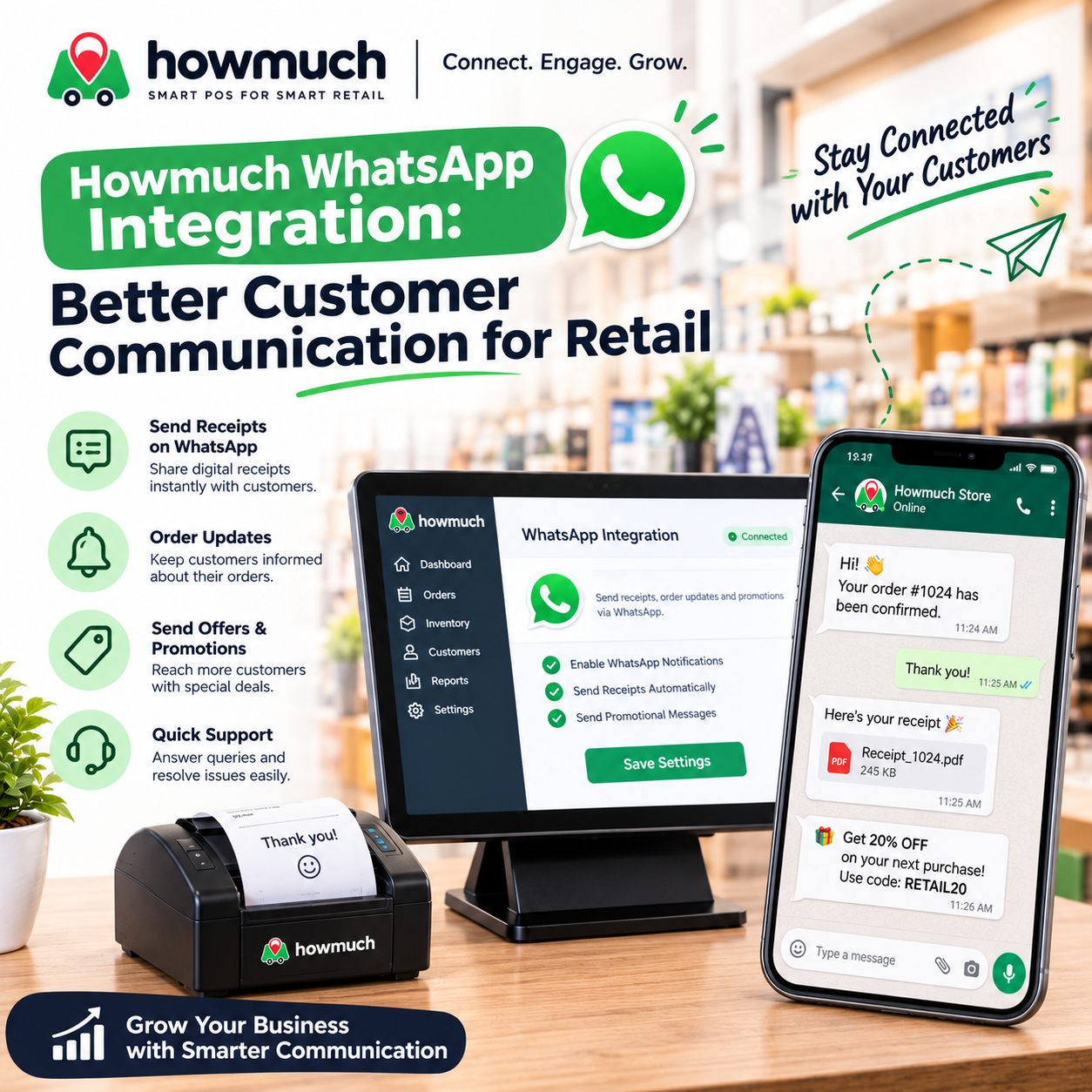
WhatsApp messaging is available in the desktop version of Howmuch. In a store’s WhatsApp settings, a team member can start the linking process and scan the displayed QR code using WhatsApp’s linked-device feature. The settings page shows the connection state and the connected account when available. Staff can also disconnect the account from there.
A WhatsApp status indicator in the POS header gives the team a quick way to check whether the account is connected and whether any messages are waiting in the outbox. WhatsApp is configured in the context of a store, helping teams keep the connection and pending messages associated with the store they are working in.
What Can Retail Teams Send?
Howmuch supports three formats for relevant messages:
- PDF documents — such as an invoice or payment receipt
- PNG images — such as a receipt image
- Text summaries — which can include transaction details without an attachment
For a completed sale, staff can send an invoice or receipt with a message. The text summary can include information such as the order number, products, quantities, prices, total, amount paid, and remaining balance when those details are available.
For customer balances, Howmuch supports dues reminders and settlement confirmations. A reminder can summarize the balance and include details about outstanding orders. A settlement confirmation can recap the previous balance, amount paid, remaining balance, receipt number, or related orders.
The feature is focused on these retail tasks. It should not be mistaken for an automated system for shipping updates, inventory alerts, chatbot replies, or promotional campaigns.
Using Customer Records and Sales Information
When a sale is linked to a customer record, Howmuch can use the customer’s name and phone number to prepare an invoice message. If the number is missing or needs to be changed for a manual send, staff can review the recipient in the send dialog before sending. That gives the cashier a chance to confirm they are contacting the right person.
Staff can send an invoice from the receipt workflow and choose the message format. If the store enables automatic invoice sending, Howmuch can send the invoice when an order is finalized, provided the required customer contact details are available. This option is configurable and is off by default, so stores can decide whether to use manual confirmation or enable that workflow.
Payment collection has a similar option. Staff can send a settlement confirmation after recording a payment against customer dues. If automatic settlement sending is enabled, Howmuch can send the confirmation as part of the settlement workflow when a customer phone number is available. The feature is intended to share information about a payment that has been recorded — not to initiate or process a payment through WhatsApp.
Message Templates Keep Communication Consistent
Howmuch includes editable templates for invoices, dues reminders, and settlement confirmations. Staff can customize the wording and insert available fields for customer, store, order, and payment details. For example, an invoice message can include the customer’s name, store name, order number, total, paid amount, balance due, or cashier name.
The templates help make routine messages quicker to prepare while leaving room for a store’s preferred tone. When a message is sent manually, staff can review or edit the caption and, where offered, select a different format before sending. Templates are for these supported POS messages; they are not a general-purpose campaign builder.
For outstanding balances, Howmuch also offers a batch-reminder workflow in Customer Receivables. Staff can review customers with balances, filter by how overdue those balances are, select customers with usable phone numbers, and send reminders using a template. This is a focused way to follow up on receivables — not a bulk marketing tool for contacting an unrestricted customer list.
Queued Messages and Communication History
If WhatsApp is disconnected or reconnecting, Howmuch can place eligible messages in an outbox instead of requiring the staff member to start over. When the connection returns, queued messages are automatically attempted. Staff can review the waiting items, retry them when appropriate, or remove them.
The settings page also shows a recent delivery log, with outcomes such as sent, queued, or failed and related error information when available. This log is useful for checking what the POS attempted to send, but it is not a WhatsApp conversation history and should not be treated as proof that a customer read a message.
Howmuch’s current workflow is for outgoing communication. Incoming customer messages and replies are not synced into a POS chat screen, and staff cannot manage WhatsApp conversations or see read receipts inside Howmuch. Customers’ replies need to be handled in WhatsApp itself.
Practical Examples Across Retail
- Grocery stores: Send a text summary or receipt image after a customer’s sale, or follow up with a selected customer about an outstanding balance.
- Supermarkets: Share a PDF invoice after checkout and use the receivables workflow to send reminders to customers with overdue balances.
- Clothing shops: Send a purchase receipt that the customer can keep on their phone, using the saved customer details when available.
- Electronics stores: Provide a PDF invoice for a higher-value purchase, then send a settlement confirmation if the customer later pays an amount due.
- Other retailers: Use the same sale and receivables workflows to send relevant invoices, reminders, and payment confirmations without turning WhatsApp into a general advertising channel.
These examples reflect the integration’s practical role: sharing information connected to a sale or recorded customer balance. They do not imply automatic offers, order-status campaigns, or other messaging that Howmuch does not provide.
A Practical Way to Improve Retail Customer Communication
Howmuch WhatsApp Integration brings useful customer messages closer to the POS tasks that create them. Retail teams can connect an account, prepare clear templates, share invoices in a suitable format, follow up on balances, and review whether messages were sent or queued.
For store owners, managers, cashiers, and customer service teams, the result is a more organized way to handle routine retail communication. Used thoughtfully, WhatsApp integration for retail can make purchase and payment details easier to share while helping teams provide a more convenient customer experience — one relevant message at a time.
0 Comments